115 lesson: mount the Pinpoint and plug it in
The Pinpoint is bolted on, its two pods are in the right sockets, and the Control Hub finds it when you press INIT. The robot does not yet know how far the pods sit from its middle. L117 measures that.
the steps
L115S010: put one pod along the robot and one across it
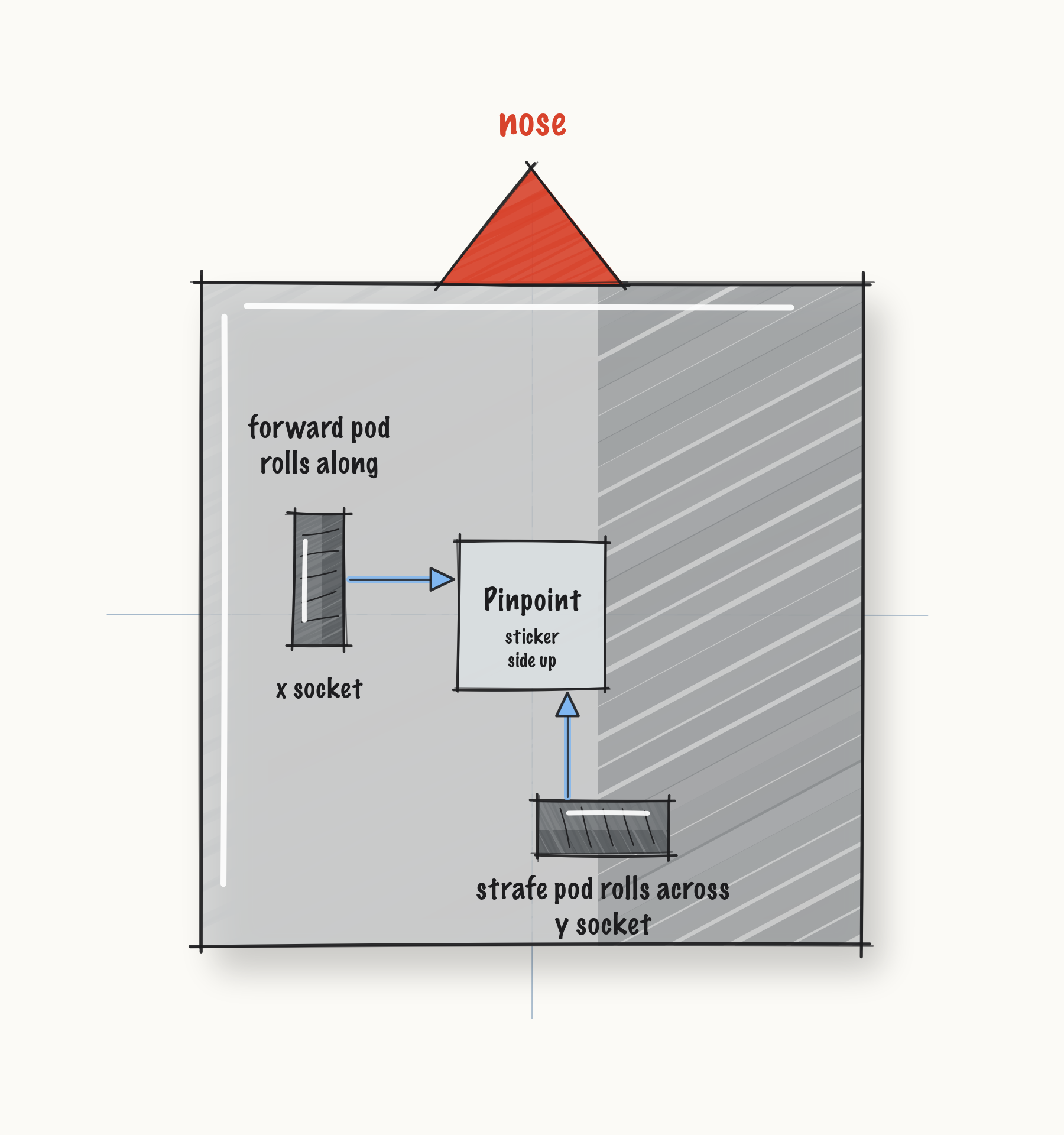
The Pinpoint counts two wheels that nothing drives. One rolls along the length of the robot, and that one is the forward pod. The other rolls across it, and that one is the strafe pod.
Both have to touch the floor the whole time, and neither may be able to lift. A pod that skips loses count, and nothing after it can tell that it did.
Mount. Bolt the two pods on, one along the robot and one across it. Plug the forward pod into the Pinpoint’s x socket and the strafe pod into its y socket.
Check.
Push the robot forward by hand. The forward pod’s wheel turns.
The strafe pod’s wheel drags sideways.
L115S020: plug it into an I2C port that is not port 0
The Pinpoint talks to the Control Hub over I2C. Port 0 already has the Control Hub’s own IMU on it, so the Pinpoint goes on another port.
Mount. Bolt the Pinpoint on with its sticker side, the side the ports are on, facing up. Plug its cable into I2C port 1, 2 or 3 on the Control Hub.
Configure. On the Driver Station, open the robot’s configuration. Add the Pinpoint on that
port, and name it pinpoint, spelled exactly that way. That is the name the code asks for:
c.name.set("pinpoint");
Check.
Pick
L110 Followerfrom theLessonsgroup and press INIT.INIT finishes with no error.
INIT looks for the Pinpoint by its name, so if INIT finishes, it was found.
L115S030: hold the robot still while it inits
Pressing INIT builds the follower, and the follower builds the Pinpoint. The Pinpoint then resets its own gyro, which takes about a quarter of a second. The robot has to sit still for it.
Robot. Put the robot on the floor, step back, safety glasses on! Pick L110 Follower on the
Driver Station and press INIT, but not PLAY yet. Watch it in AdvantageScope.
Check.
Before you press PLAY,
Localizer/pinPoint/heading_degholds steady while the robot sits still.
Drive. Press PLAY and drive a slow square.
Check.
The heading comes back to where it started.