080 lesson: drive like an arcade game
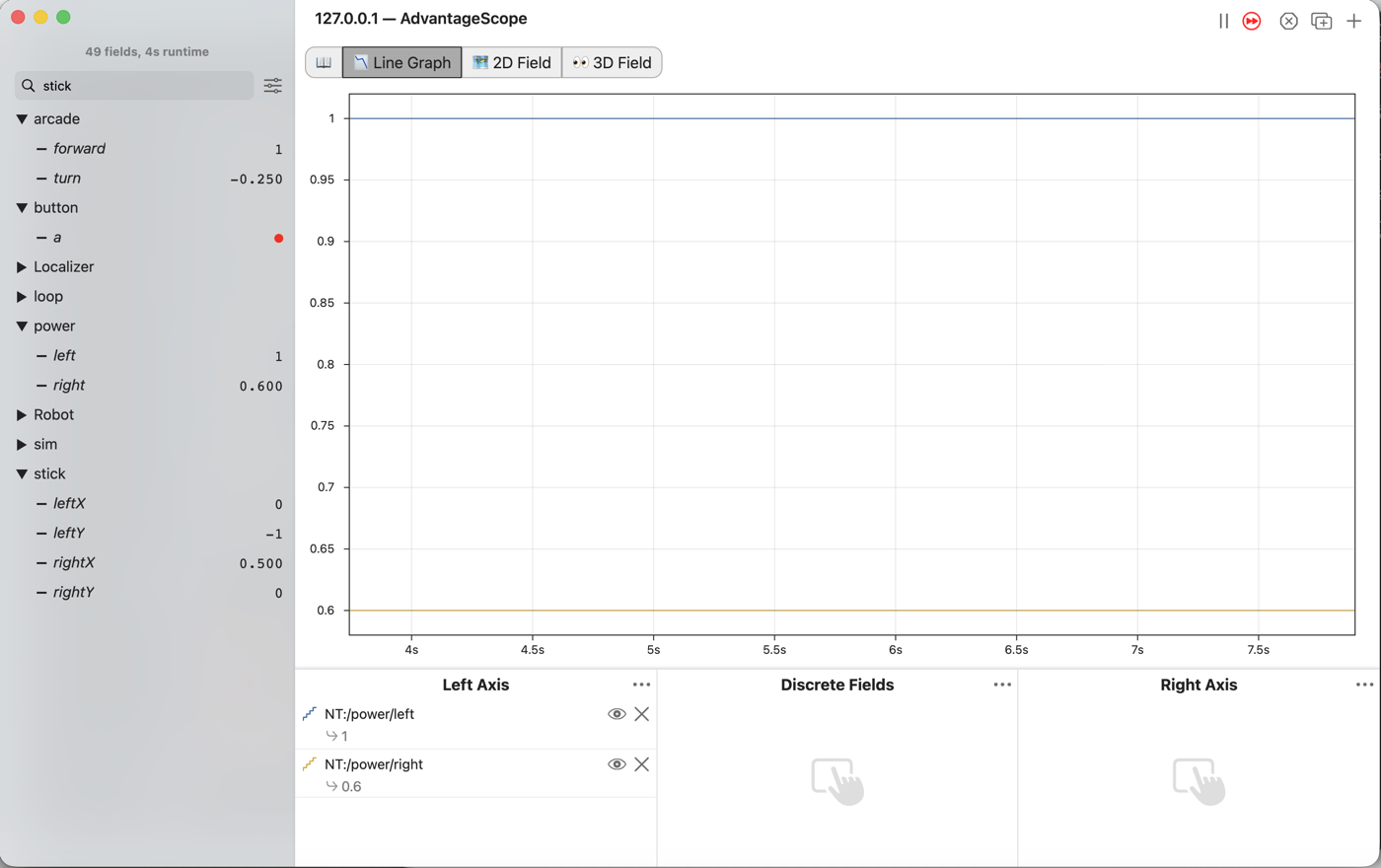
Drive with one stick for going and one for turning: arcade drive. When the sticks ask for more power than a motor has, scale every wheel down together, so the robot still drives the curve the driver asked for.
the steps
L080S010: copy the starter into mytry
Copy. In lessons, click L080ArcadeOpMode once and copy it. Click mytry once and paste.
In the Copy Class box, click OK. If Android Studio asks whether to add the file to Git,
click Add.
Check.
mytryholdsL080ArcadeOpMode, and the new file is open.
L080S020: switch your copy on
Change. Delete the line @Disabled, under the comment that names this step.
Check.
Under the step’s comment, the next line reads
// 'public' so the robot can run this OpMode. 'public' allows access from any code.
L080S030: forward and turn
Tank drive asks the driver to think in left wheels and right wheels. Arcade drive asks for forward and turn instead, which is how a driver already thinks. The code works out the two sides.
The starter has the sticks, the buttons, deadband and squared from the lessons before. It does
not drive the wheels yet.
Change. In driveFromTheSticks(), find the comment that names this step. Under it, type:
        // When on L080S030, see
        // https://msb-stitt.github.io/ftc31459-26-27-biobuzz/guide/tasks/l080.html#l080s030
        // for what to do here.
        double band = 0.05;
        double forward = deadband(-leftStickY, band);
        forward = signedSquared(forward);
        Tracker.publish("arcade/forward", forward);
        double turn = deadband(-rightStickX, band);
        turn = signedSquared(turn);
        Tracker.publish("arcade/turn", turn);
forward comes from the left stick, up and down. turn comes from the right stick, sideways. Both
get a minus sign. For forward, that makes pushing away from you positive, as in L030. For turn,
it makes a turn to the left positive. That is the way robots measure turning: left, or
counter-clockwise, is positive.
Simulator. In the Terminal, run:
./gradlew :TeamCode:simRun --args="mytry.L080ArcadeOpMode --pad"
AdvantageScope. Connect to the simulator as in L020, and open the arcade folder.
Check.
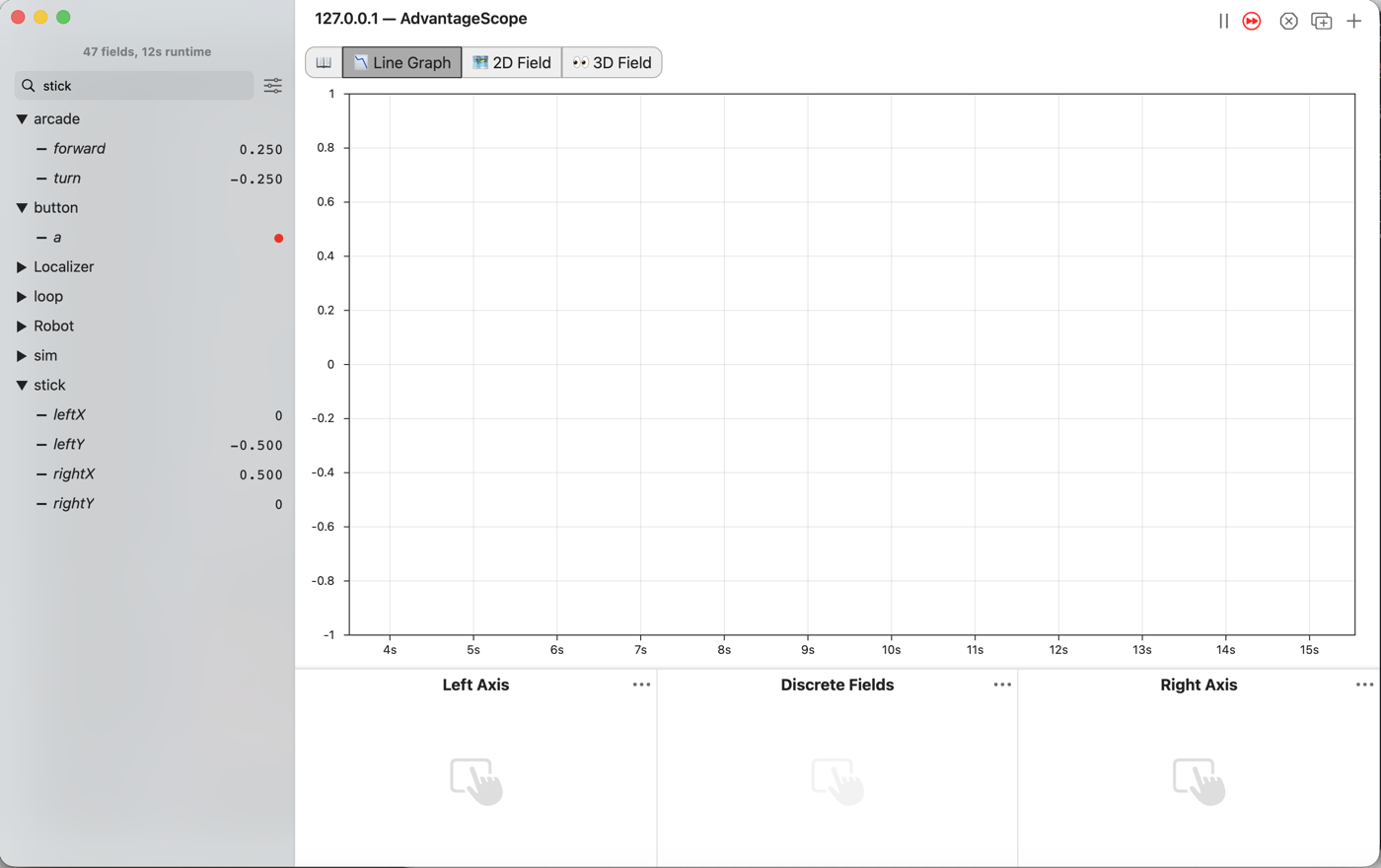
Push the left stick halfway forward, and
forwardreads 0.25.Push the right stick halfway right, and
turnreads -0.25.The robot does not move yet.
L080S040: mix them into two sides
To turn right, the left side goes faster and the right side goes slower. A turn to the right is
below 0.0, so taking turn away from the left side speeds it up, and adding it to the right side
slows that side down.
Change. Press Ctrl+C in the Terminal to stop the simulator. Find the comment that names this step. Under it, type:
        // When on L080S040, see
        // https://msb-stitt.github.io/ftc31459-26-27-biobuzz/guide/tasks/l080.html#l080s040
        // for what to do here.
        double leftPower = forward - turn;
        double rightPower = forward + turn;
        Tracker.publish("power/left", leftPower);
        Tracker.publish("power/right", rightPower);

        hardware.frontLeft.setPower(leftPower);
        hardware.backLeft.setPower(leftPower);
        hardware.frontRight.setPower(rightPower);
        hardware.backRight.setPower(rightPower);
Simulator. Run the same command again, and connect AdvantageScope. Click 2D Field. The robot from L040 is still in Poses.
Check.
Push the left stick forward, and the robot drives forward.
Push the right stick right, and it turns right.
Push both, and it drives a curve.
Now push the left stick all the way forward and the right stick halfway right. Click
Line Graph, and drag left and right from the power folder into Left Axis.
power/left reads 1.25.
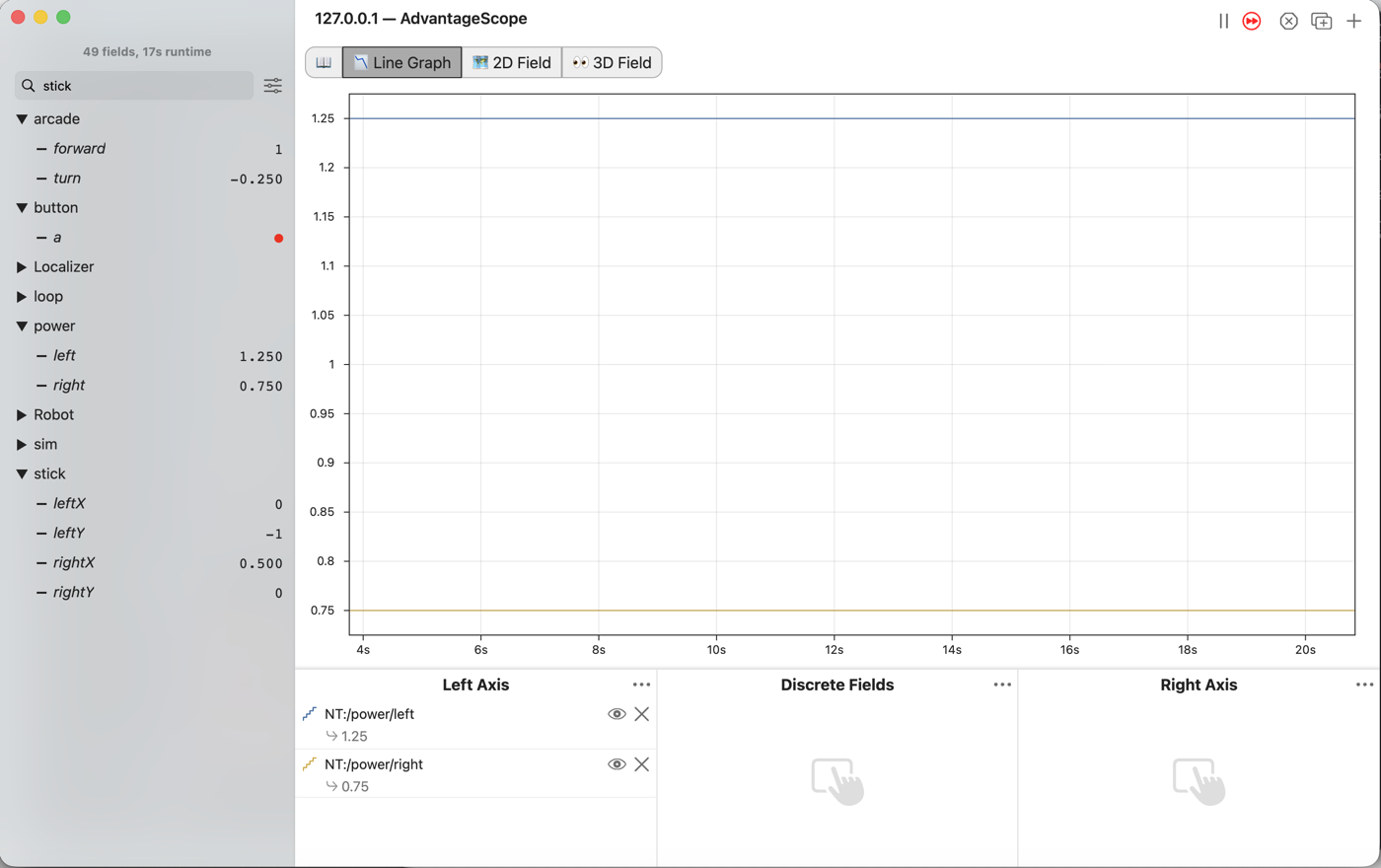
A motor’s power only goes from -1.0 to +1.0. On the robot, the Control Hub cuts 1.25 down to 1.0 and leaves 0.75 alone. The left side loses some of what it asked for and the right side loses none, so the robot drives a wider curve than the sticks asked for. The simulator does not cut it, so the curve there looks right. The number gives it away.
L080S050: scale, don’t cut
The fix is to divide both sides by the bigger one. 1.25 and 0.75 become 1.0 and 0.6. The robot goes a little slower, and the curve stays the one the driver asked for.
Change. Press Ctrl+C to stop the simulator. Go back to the two lines from L080S040 that make
leftPower and rightPower. Under them, type:
        double leftPower = forward - turn;
        double rightPower = forward + turn;
        double leftSize = Math.abs(leftPower);
        double rightSize = Math.abs(rightPower);
        double biggest = Math.max(leftSize, rightSize);
        biggest = Math.max(1.0, biggest);
        leftPower = leftPower / biggest;
        rightPower = rightPower / biggest;
leftSize and rightSize are the powers with their minus signs taken off. Math.max gives back
the bigger of two numbers, so the first Math.max finds the bigger size. The second makes sure
biggest is never less than 1.0. Without it, a gentle 0.25 would be divided by 0.25 and become full
power.
The last three lines have no double in front. biggest and leftPower already exist, so these
lines change them rather than making new ones.
Simulator. Run the same command again, and connect AdvantageScope.
Check.
Push the left stick all the way forward and the right stick halfway right.
power/leftreads 1.0, andpower/rightreads 0.6.Push the left stick halfway forward alone, and both read 0.25, the same as before this step.
L080S060: drive it on the robot
Robot. Stop the simulator. Send the code, and run L080 Arcade from the Driver Station.
Check.
Push the left stick halfway forward and the right stick a quarter right, and the robot drives a circle to the right.
Push both sticks twice as far, and it drives a circle the same size, only faster.